Create Invoices
Click “Create Invoice” button
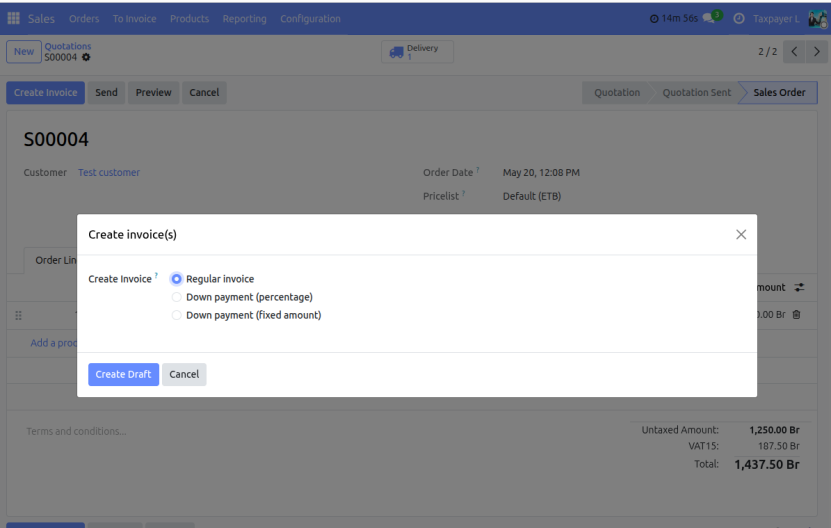
Choose invoicing method options
- Regular Invoice → invoice for order quantities.
- Down Payment (percentage)
- Down Payment (fixed amount)
Select the invoice option and click Create Draft Invoice.
Review the draft invoice.
Confirm the Invoice.
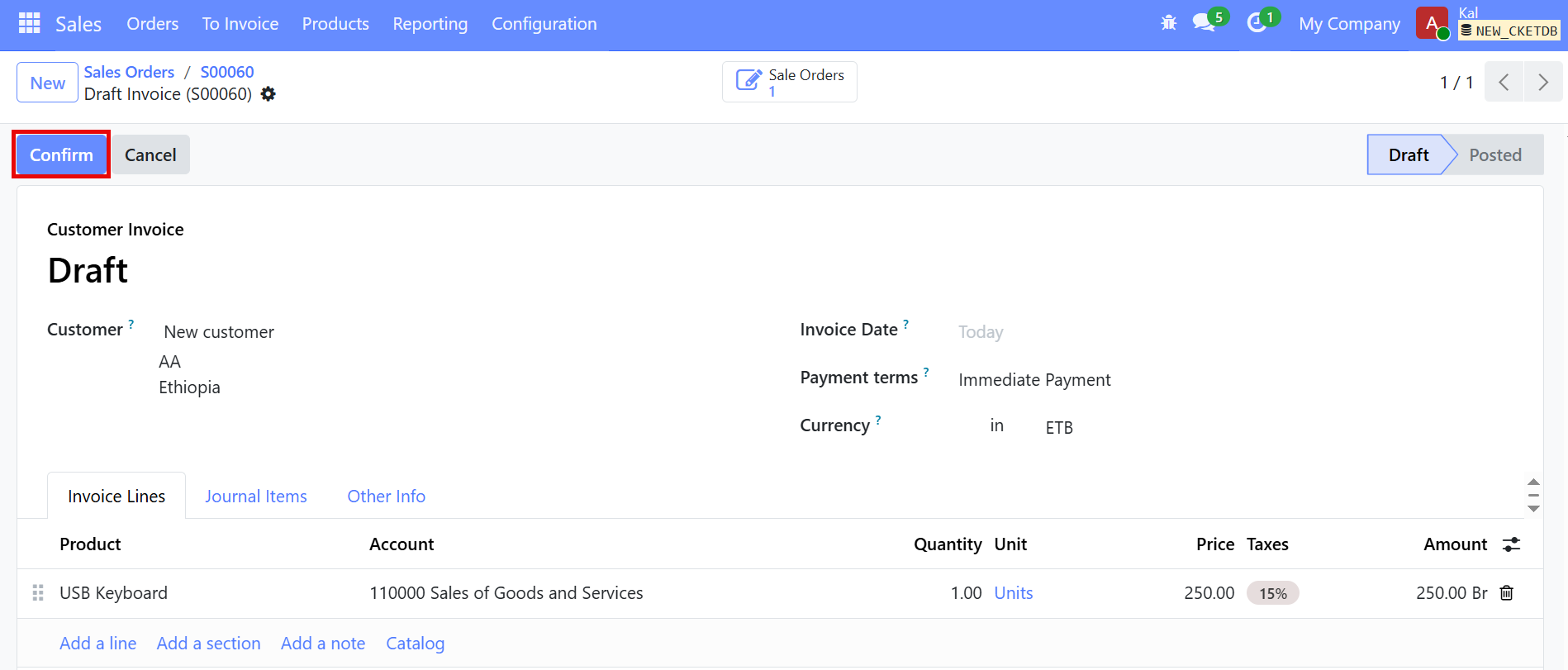
When the Confirm buttons is clicked on a draft invoice, the invoice is officially validated and posted in the system. This means the invoice becomes an official accounting documentation.