Requests for Quotation :- is a purchase request sent to suppliers to collect quotations and compare offers before confirming an order. It used to
- Request product price from vendors
- Compare different vendor quotations
- Check product availability
- Negotiate purchase terms before confirming the purchase
RFQs - help organization make better purchasing decisions by comparing a vendor offers before buying product or services.
Steps to Create Request for Quotation(RFQs)
- Open the Purchase Module from the main dashboard,
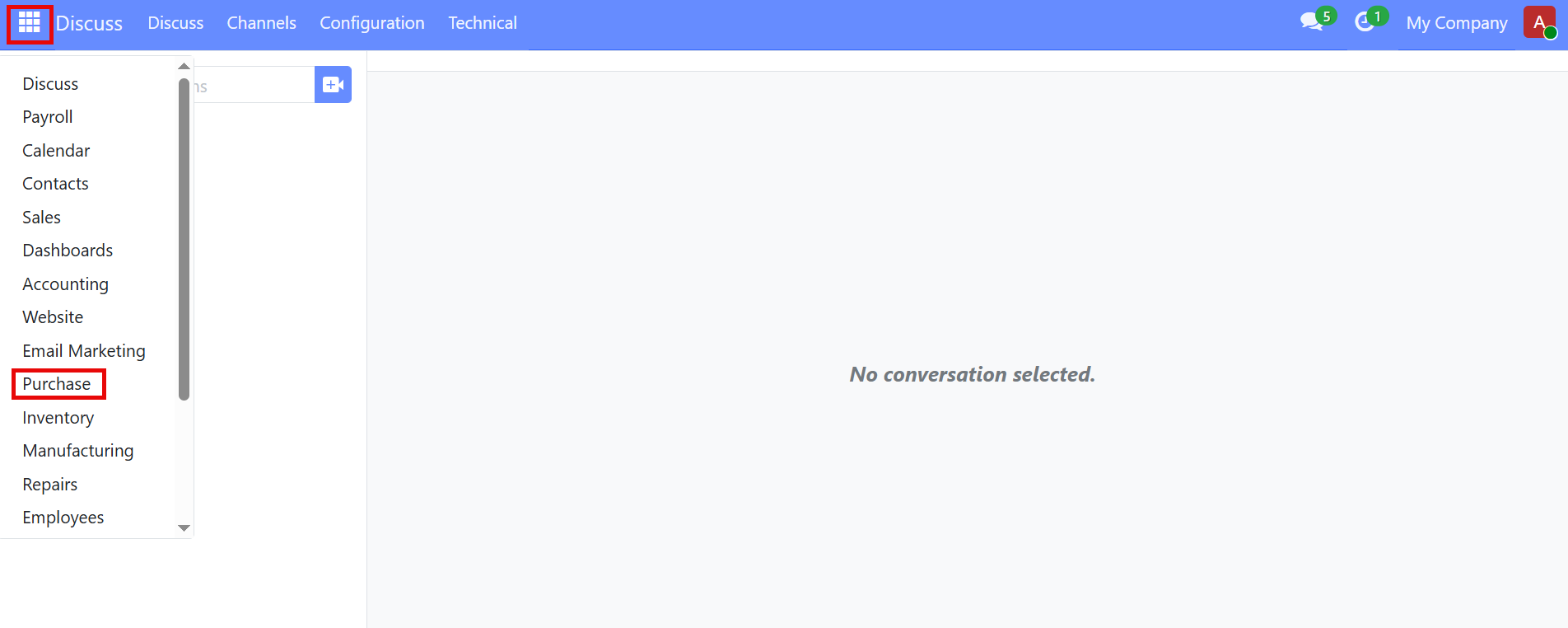
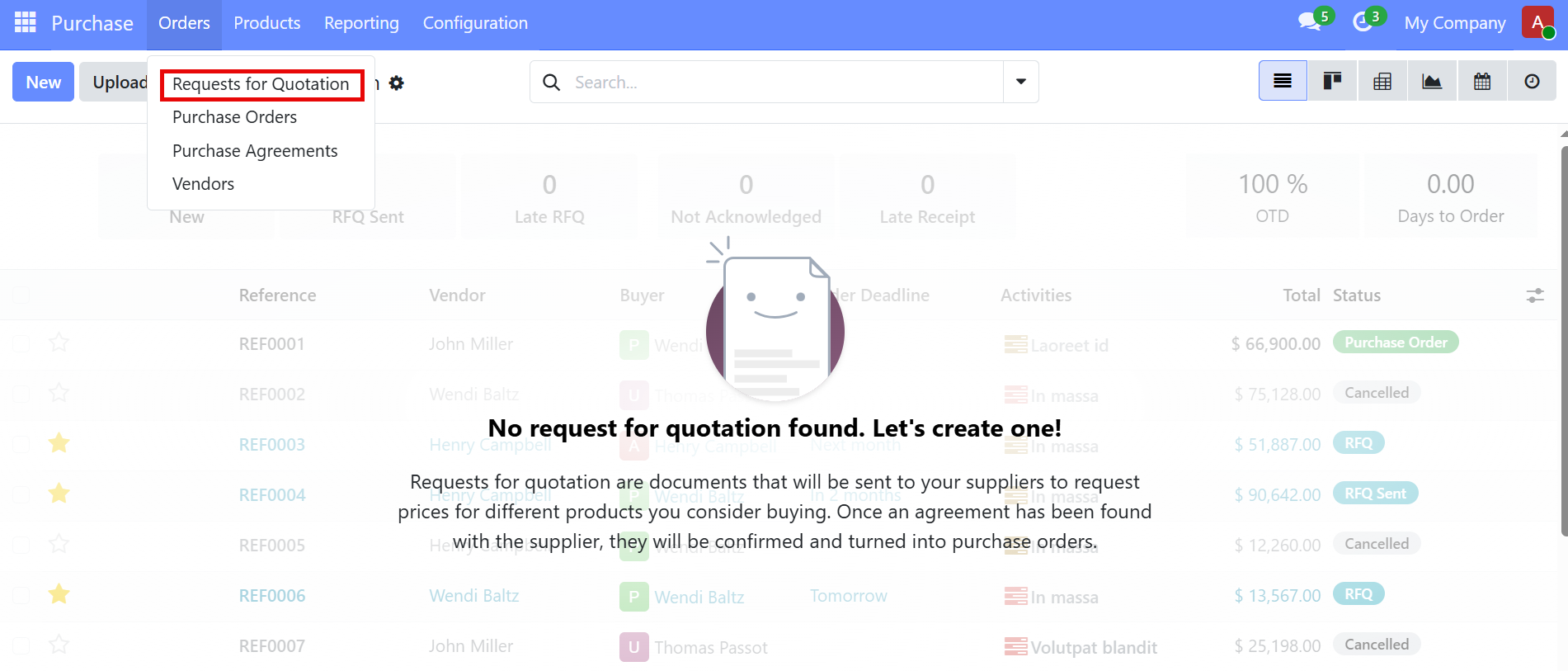
- 2. From the Purchase menu, click Orders
- 3. Select Requests for Quotation
4. Click the "New" button, A new RFQ form will be displayed, then fill all required fields like
- Vendor
- Order Deadline
- Expected Arrival Date
- product - Enter quantity and Unit price .
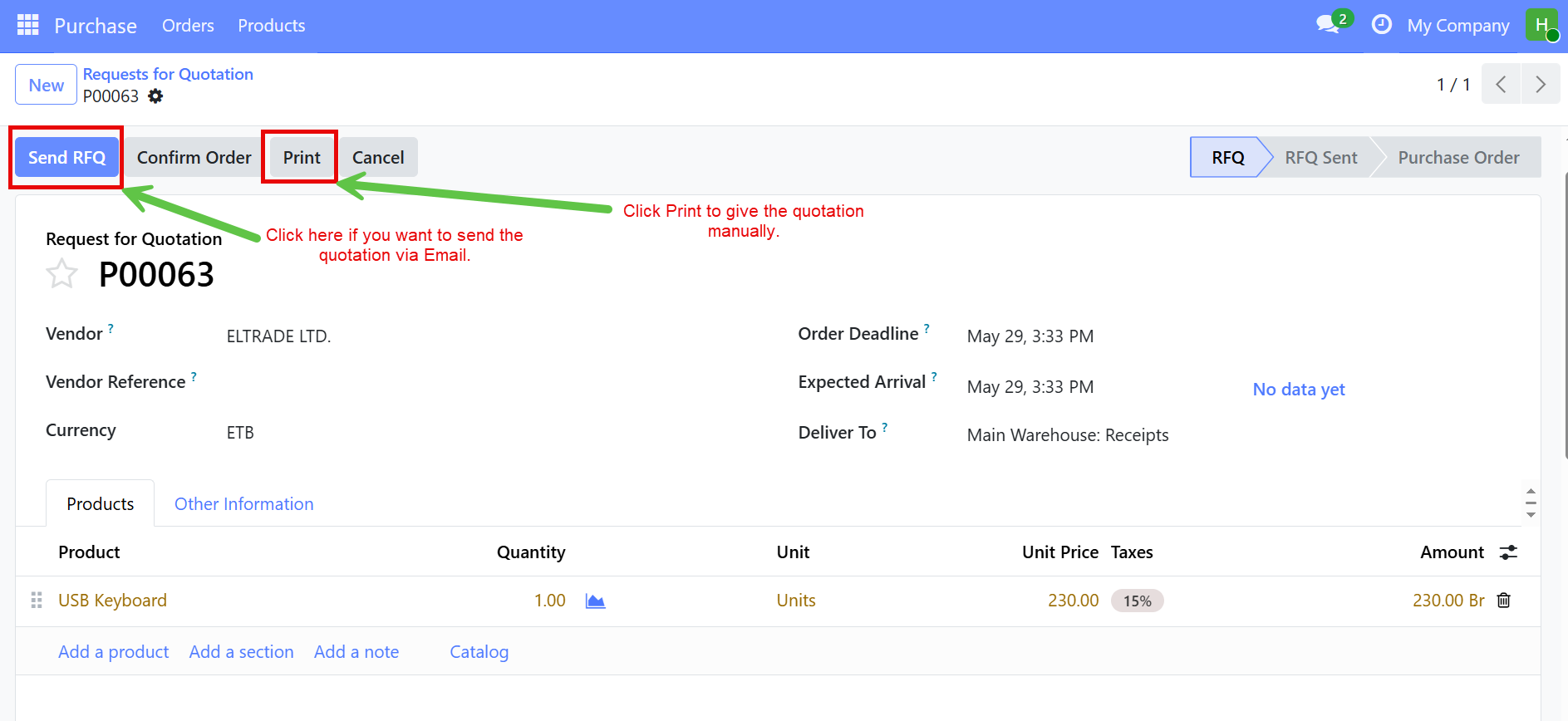
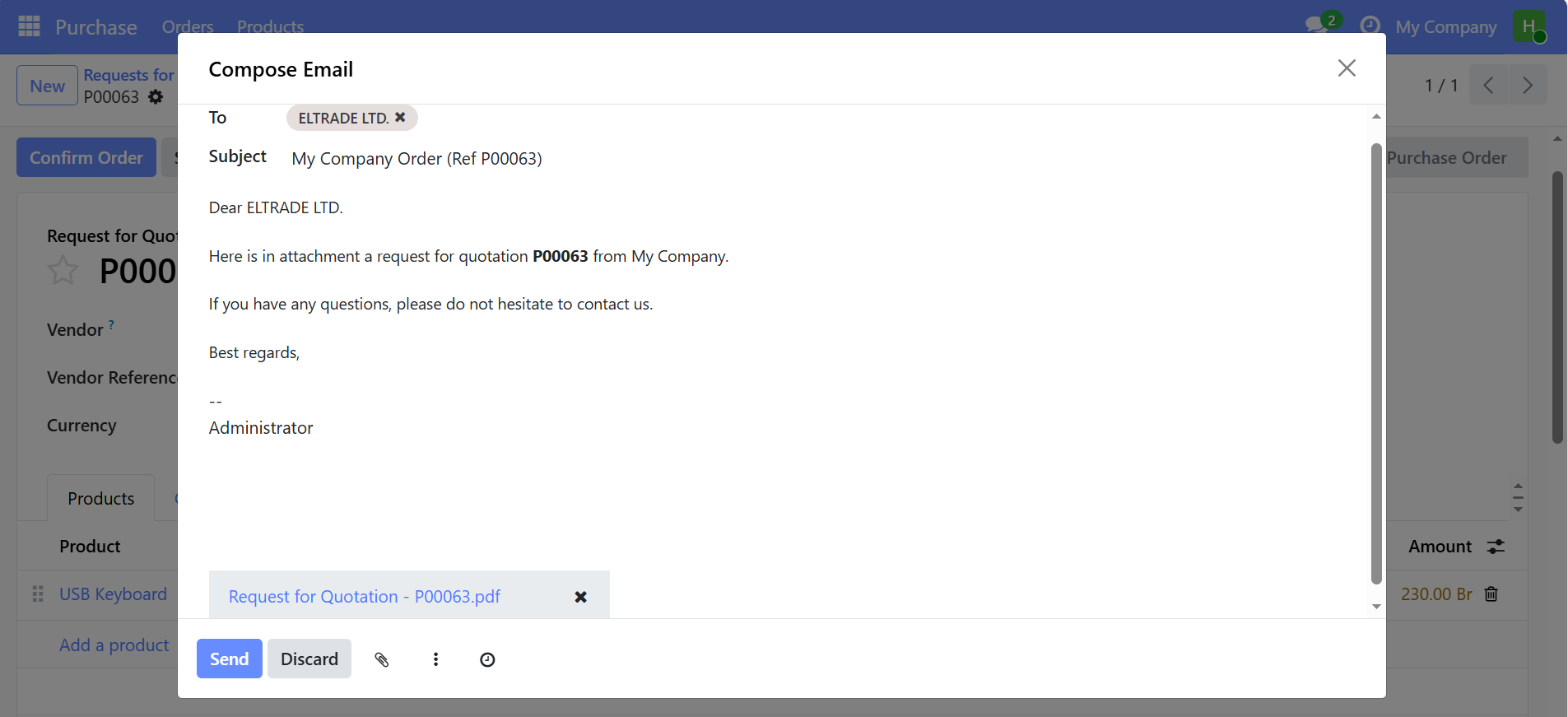
After sending the RFQ to the supplier and receive their quotation, review the quotation details.
If the terms are acceptable, click Confirm Order button.
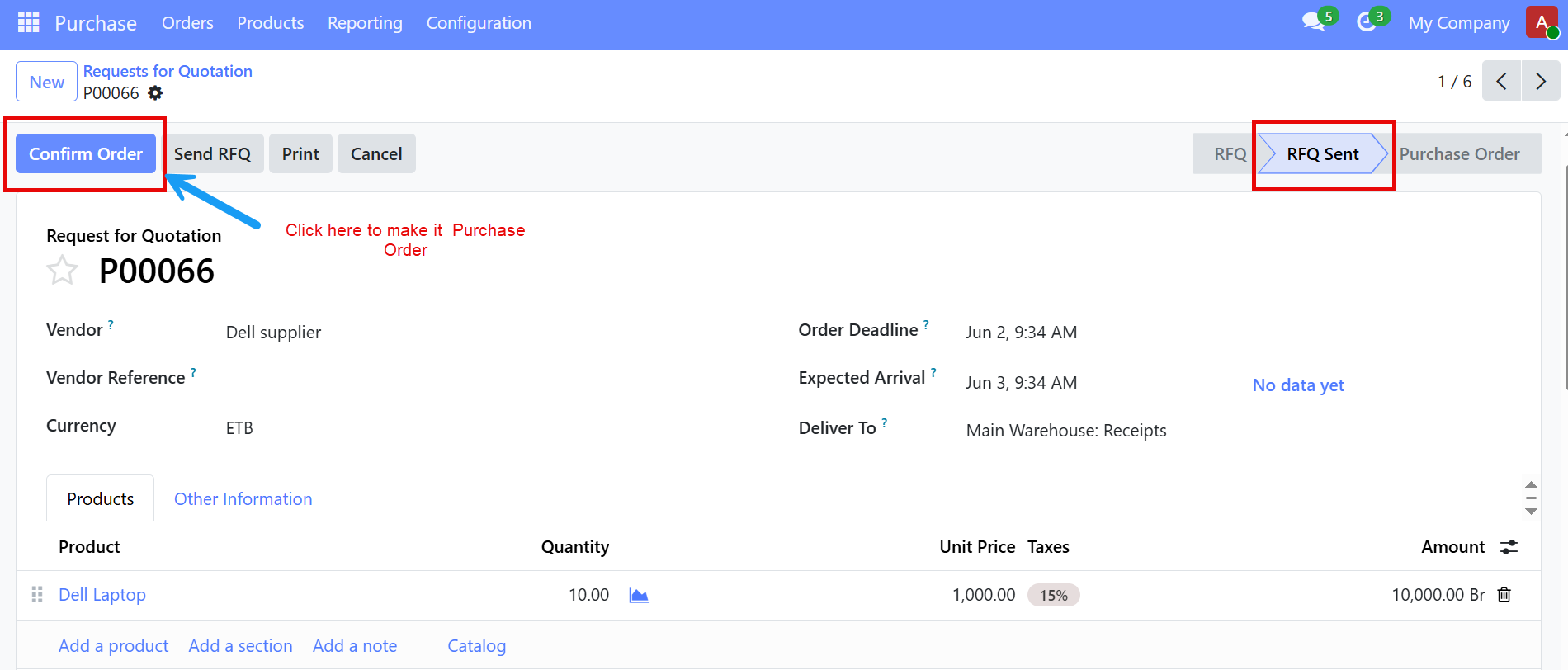
After Confirmation, the RFQ status becomes Purchase Order, Which serves as the official document authorizing the purchase from the supplier and the system automatically creates a receipt operation in the inventory module, when the supplier delivers the product Validate the Receipt.
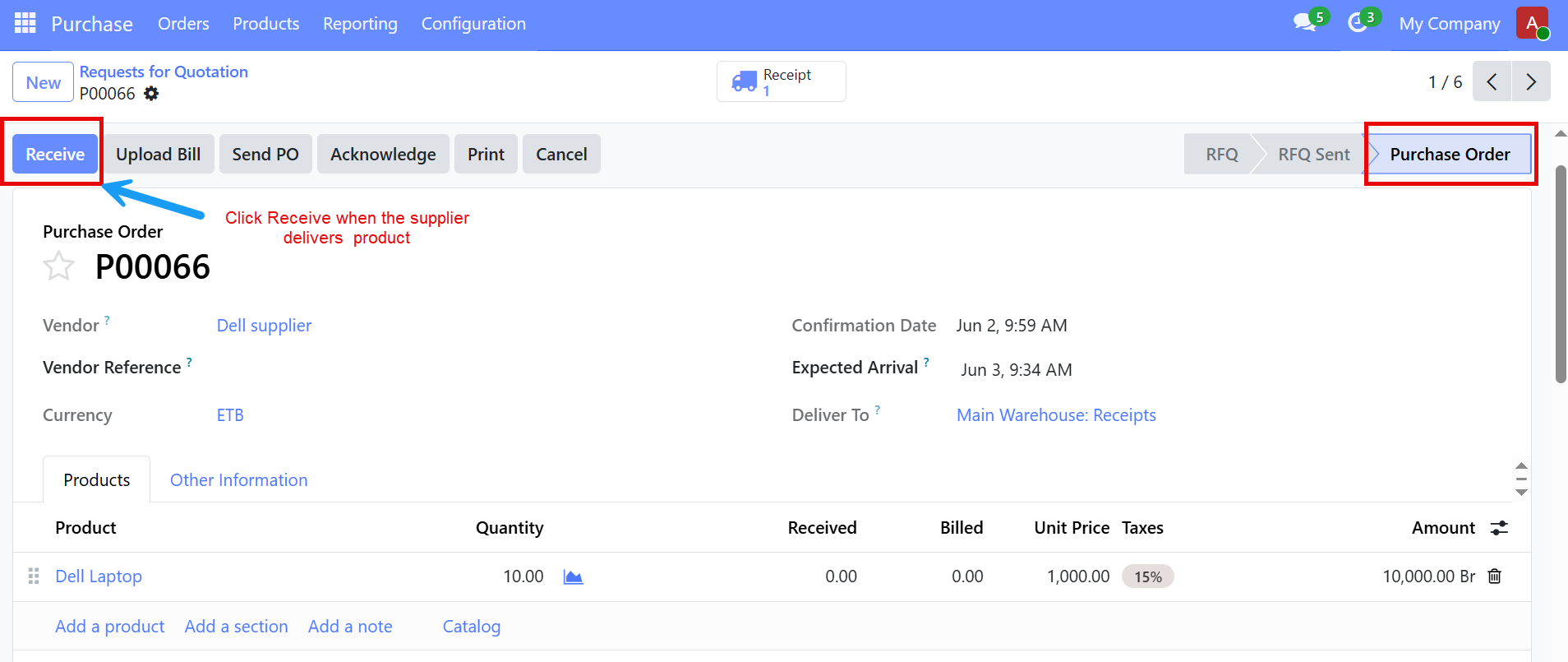
After the supplier delivers the products, click Receive Products and Verify the delivered quantities.
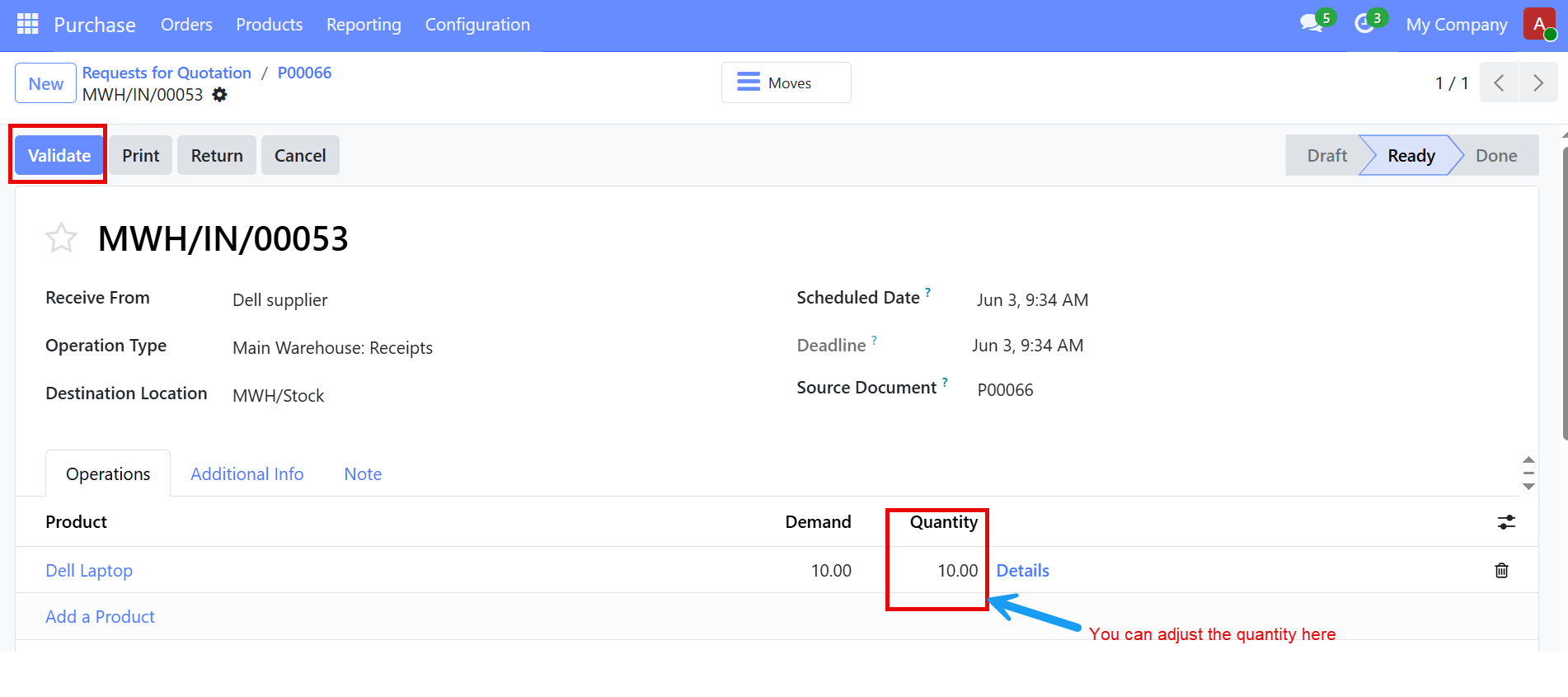
Then Click Validate to confirm the receipt.
The system updates the inventory, records the receipt as completed and make the products available in stock.